
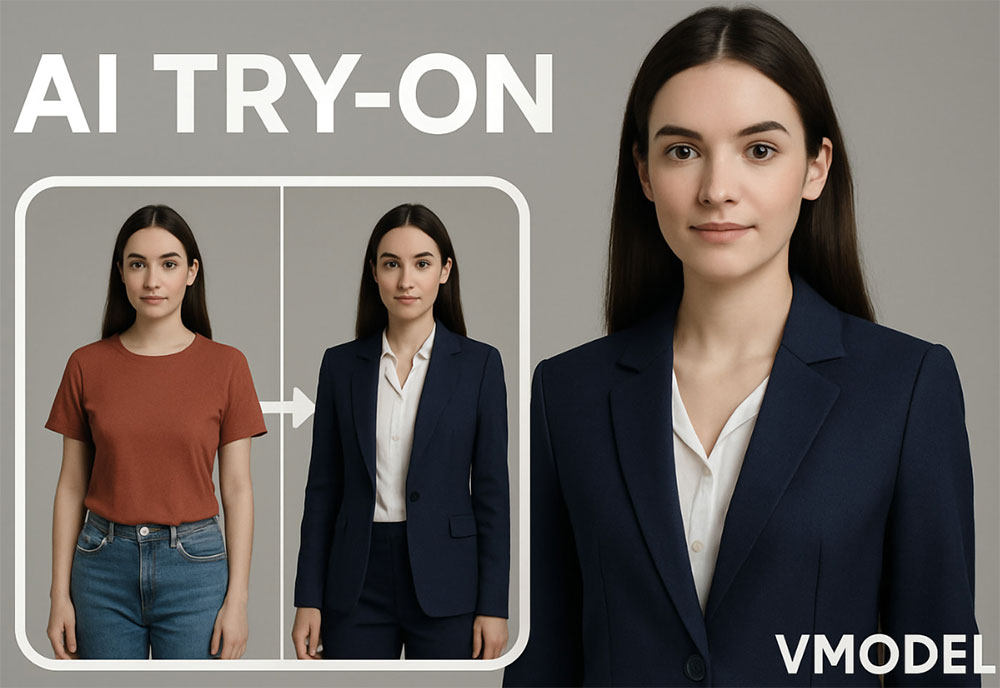
What Is AI Model Try-On?
AI model try-on is the outfit-level version of virtual fitting. Instead of placing one item, the AI model try-on tool layers several garments onto a model — shirt under jacket, belt over trousers, shoes with a skirt — while keeping proportions consistent. The result shows how the pieces behave together: contrast, layering depth, hem overlap and overall silhouette.
That matters when styling a collection. Individually, each product can look great; combined, colors can clash or proportions can flatten. An outfit preview catches those problems before a photoshoot, which is why stylists, small labels and resale sellers use it to plan lookbooks and validate combinations quickly.
Core Features of the Model Try-On Tool
Full Outfit Layering
Combine tops, bottoms, outerwear and accessories in one preview while layering order stays logical.
Generated or Uploaded Models
Use a realistic AI model or upload your own model photo to match an existing body type and pose.
Believable Proportions
Hem lengths, waistlines and sleeve ends line up with the body instead of floating on top of it.
Consistent Collection Styling
Reuse the same model and lighting description so every look in a collection feels part of one campaign.
Fast Outfit Iterations
Swap one piece and regenerate in seconds to compare styling options side by side.
Free, No Watermark
Unlimited previews at no cost, with clean watermark-free downloads for listings and lookbooks.
How to Use AI Model Try-On (Step by Step)
Prepare your garment photos, then follow these steps:
- Open the tool. Go to the AI model try-on page.
- Add the outfit pieces. Upload each garment, or describe the look you want the model to wear.
- Pick the model. Generate one or upload a model photo that matches your target audience.
- Generate the look. Review layering, length and color balance in the preview.
- Refine and download. Swap a piece if needed, then download the final image without a watermark.
Pro Tips for Styling Outfits with AI
Good styling decisions are easier when the inputs are consistent:
- Keep the same model for a series. One face and body across a collection reads as a campaign rather than random images.
- Respect real layering. A shirt under a blazer needs visible collar and cuffs; describe those details explicitly.
- Limit the palette. Two or three colors per outfit keeps the preview clean and the styling believable.
- Check hem relationships. Cropped tops with high-waisted bottoms and long coats with short skirts are the combinations most worth previewing.
- Save the winning combination. Note the prompt that worked so you can reproduce the look for future products.
Previewing one item at a time? The AI garment try-on is the focused option, and the AI clothes to model tool starts from flat-lay photos. See the garment try-on guide for single-piece previews.
Frequently Asked Questions (FAQ)
Is the AI model try-on free?
Yes. The tool is free on AIDoImg with no watermark and no account required.
Can I preview a complete outfit, not just one item?
Yes. Upload the pieces of the look and describe how they should be combined. The AI fits the full outfit onto the model in one image.
Are the models generated or can I upload my own?
Both work. You can let the tool create a realistic model, or upload a model photo so the outfit is fitted to a specific body and pose.
Do the proportions look realistic?
Yes. The AI respects body proportions, garment length and layering order, so hems, waistlines and sleeve lengths stay believable.
Can I keep colors consistent between products?
Yes. The uploaded garments drive color and pattern, and you can reuse the same model and lighting description across a whole collection.
Are the images safe to use in my shop?
You can use them for your own listings, ads and social posts. Make sure you have the rights to the garments and any uploaded model photo.
