
The model comes first
Pick one of fifteen preset AI models or upload a photo of your own model. That person — face, hair, skin tone and body — becomes the fixed subject you keep trying outfits on.
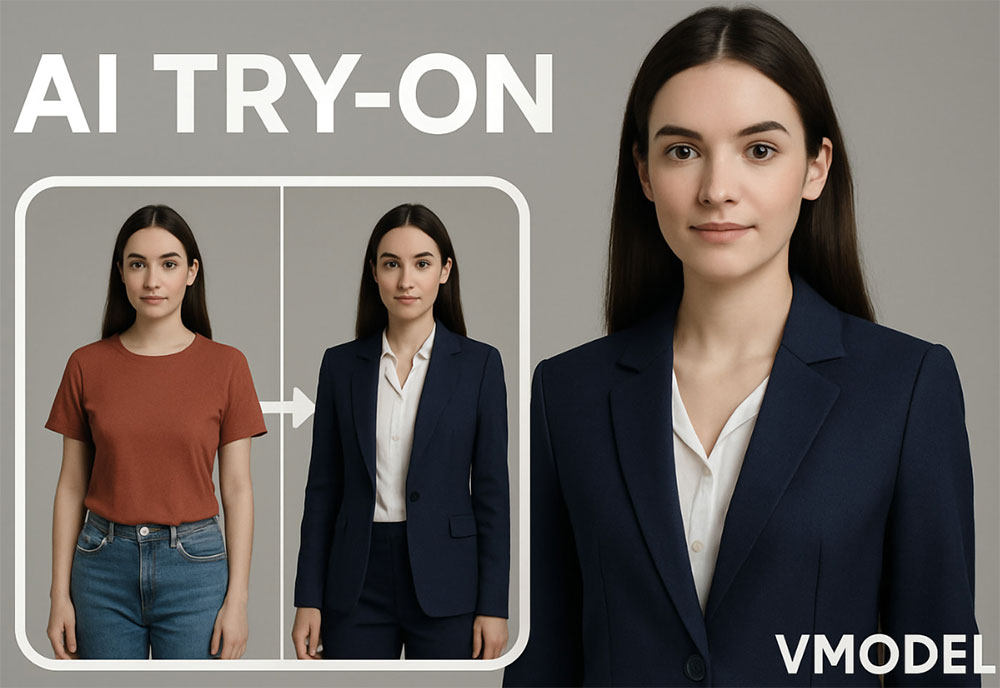
Build one realistic AI model and dress that same person in outfit after outfit with a free AI model try-on tool. Upload a garment photo — or upload your own model first — and the AI renders a complete head-to-toe look while every fabric detail, print and logo stays intact. Choose a model, a pose and a scene style, or let the AI decide. No real model, no studio, no photoshoot.
Drag & drop the garment you want to try on
or browse files — flat lay, mannequin, ghost mannequin or on-model • JPG, PNG, WEBP • max 10MB
No garment? Try one of these:
Drag & drop your own model photo here
or browse files — the person whose face and body you want to keep • JPG, PNG, WEBP • max 10MB
By using this tool you agree to our Terms of Service and Privacy Policy.
Your model try-on will appear here
Pick a model on the left, upload one garment photo, then click Try On Outfit. Pose and style are optional.
Trying the outfit on your model…
This usually takes 10–60 seconds. Please keep this page open.
Oops, something went wrong
 AI Clothes Changer
 AI Outfit Changer
 AI Lingerie Try-On
 AI Xray Clothes
 AI Virtual Model Generator
 AI Pose Generator
 AI Image Generator
 AI Image Editor
 AI Body Modifier
 AI Baby Generator
 AI Age Changer
 AI Pregnant Generator
 AI Gender Swap
 AI Object Remover
 AI Watermark Remover
 AI Background Remover
 AI Background Changer
 AI Photo Restoration
 AI Image Extender
 AI Image Enhancer
 AI Image Upscaler
 AI Image Style Converter
 AI Sticker Generator
 AI Headshot Generator
An AI model try-on tool gives you one consistent model and lets you keep dressing that same person in your own garments — no real model, no studio and no photoshoot.
Pick one of fifteen preset AI models or upload a photo of your own model. That person — face, hair, skin tone and body — becomes the fixed subject you keep trying outfits on.
Upload the piece you want to see worn: a flat lay, a ghost mannequin, a product shot or an existing on-model photo. The AI fits it onto your chosen model as a complete head-to-toe look.
Leave the model in place and swap only the garment. Because her look stays identical, a whole catalog, lookbook or social feed reads as one continuous shoot.
A studio-quality try-on image generated online in 10–60 seconds. Pick a pose and a scene style first, or let the AI choose, then download the result free without a watermark.
One free AI model try-on tool in your browser — dress a single consistent model in garment after garment and download the results at zero cost.
This is the difference from a garment-first tool: once you pick a model, her face, hair, skin tone and body are locked in, so every outfit you try on belongs to the same person.
Our AI model try-on renders the outfit on a lifelike body, matching proportions, skin tone, lighting and shadows so the result looks like a real studio shoot.
Fabric texture, stitching, colour, print and logos stay true to your original photo — the AI dresses the model in your garment, not a lookalike.
Choose from fifteen diverse preset models — different faces, hair, skin tones and body types — or upload your own model photo and keep that exact person.
Style every try-on with twelve fashion poses and eighteen studio, editorial, lookbook and lifestyle scenes — or leave them empty and let the AI decide.
Use this free AI model try-on without an account, download clean results with no watermark, and get even more daily generations as a member or VIP.
Try an outfit on an AI model in four simple steps. No editing skills, no design software and no account needed — choose your model, then add the garment.
Choose one of fifteen preset models, upload a photo of your own model, or describe the person you want in the prompt box. This model stays with you across every outfit.
Add the piece you want to see on that model: a flat lay, a ghost mannequin shot, a product image or an existing on-model photo.
Optionally pick one of twelve poses and eighteen scene styles, describe the look in your own words and choose an output size that fits your store or channel.
Click Try On Outfit, preview the full look and download it instantly with no watermark — then swap only the garment to try the next piece on the same model.
From one piece to a full capsule, here is what people try outfits on AI models for.
Try every item in your range on the same AI model so your product listings look like a single, coherent campaign.
Dress one model in look after look and generate editorial, lookbook and campaign scenes — no photographer, studio or model booking.
Move from a single piece to a full head-to-toe look and see how tops, bottoms and outerwear read together on the same person.
Produce fresh outfit visuals from one product photo and keep a familiar face on your feed, post after post.
Upload a photo of your brand model once and keep that exact face and body while changing clothes, poses and scenes.
Check how a print, texture or logo reads on a real body in real lighting before you commit to production.
Online stores, stylists and creators use this free AI model try-on every day to dress one model in look after look.
“We keep one AI model and try every new item on her. The whole catalog looks like it was shot with the same person in a single day.”
“Building the look around a fixed model is exactly how I brief a shoot. Her face and body stay identical while the outfit changes.”
“Free, no sign-up and no watermark. I tried a dozen pieces on the same AI model for a styling post.”
“I run a small clothing store. Instead of a photographer and a model per collection, I dress one AI model in everything before a launch.”
“My mockups finally look like real photos of the same model wearing each design. The print, colors and stitching stay exactly as designed.”
“I put a whole capsule on one model to see how the pieces read together before I sew anything. Describing the model in the prompt works surprisingly well.”
Answers to the most common questions about our free online AI model try-on tool.
A free AI model try-on tool dresses a realistic AI model in your own clothing. You choose the model first — one of fifteen presets or your own model photo — then add the garment, and the AI renders that same person wearing it as a complete, head-to-toe outfit.
Pick a model, upload the garment photo, optionally choose a pose and a scene style, then click Try On Outfit. The AI keeps the face, hair, skin tone and body of the model you selected and fits the garment onto that body with natural fabric drape, matching lighting and contact shadows.
This page works model-first: you build one model and keep dressing that same person in piece after piece, so an entire lookbook shares the same face and body. A garment-first try-on is about judging the fit of a single piece.
Yes, and that is the point. Choose a model once, then only swap the garment photo. The face, hair, skin tone and body proportions stay consistent from one outfit to the next, which is exactly what a catalog, lookbook or social feed needs.
Yes. Upload a photo of the person whose face and body you want to keep. The AI preserves that person and dresses them in your uploaded garment, ignoring the clothes they are wearing in the reference photo.
Twelve poses are available: 3/4 turn, adjusting clothing, back view, crossed arms, hand in pocket, over-the-shoulder, playful spin, power stance, seated casual, standing, walking forward and a random pose chosen by the AI.
Eighteen styles, including E-Commerce, White Studio, Catalog, Editorial, Lookbook, Street Style, Campaign, Runway, Dark Studio, Lifestyle, Beauty, Couture, Resort, Evening, Sportswear, Denim, Vintage and Film. The style sets the environment, lighting and mood only — the outfit never changes.
Yes. Use the optional prompt box to describe gender, age, body type, hair, skin tone, expression or styling, for example "female, mid-20s, tall and slim, long dark hair, warm skin tone". The AI follows your description.
Yes, it is free and you can try outfits on AI models without an account and download the results without a watermark. A free member account increases your daily generations, and VIP adds unlimited daily use and every exclusive feature.
Yes. Keep the model selected and swap only the garment to build a full set of looks for the same person. The results are photorealistic, with correct proportions, natural fabric drape and consistent lighting, so they are ready for product listings, lookbooks and social posts. You may use them commercially provided you own the rights to the uploaded images and comply with our Terms of Service.
