






















Free Image to Prompt Generator

Upload an image 0 / 1

Drag & drop your image here

or browse files — JPG, PNG, WEBP • max 10MB

No image? Try one of these:

Prompt language

The description is written in the selected language. The final prompt stays in English.

By using this tool you agree to our Terms of Service and Privacy Policy.

Your prompt

Image to Prompt
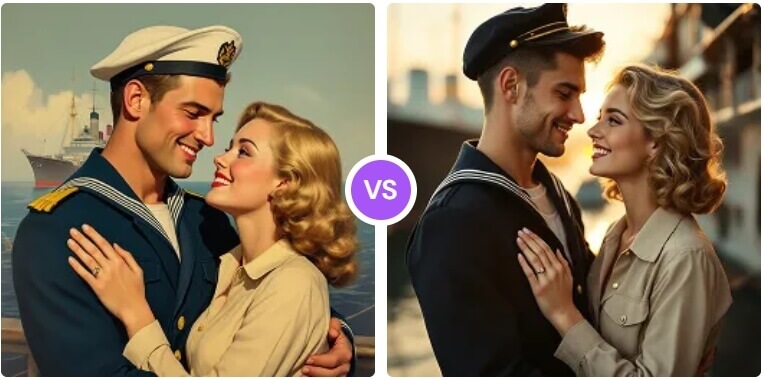
AI image to prompt example result

Your prompt will appear here

Upload an image on the left, choose a prompt language, then hit Generate Prompt — you get a plain description plus a structured prompt, a full keyword string and a negative prompt.

Description Structured prompt Full prompt Negative prompt

Don't Miss Out! These Free AI Tools Are Amazing

What is an Image to Prompt Generator?

An image to prompt generator reads a picture and writes the text prompt that could recreate it — no prompt-writing skills required.

It describes what the AI sees

A vision model analyses your image and breaks it down into subject, scene, composition, lighting, colour, material and rendering quality. The result is a prompt that reflects the actual picture instead of a generic guess.

What you upload

A single image is all it takes — a photo, an illustration, a 3D render, a product shot or AI artwork. Clear, uncluttered images give the most precise prompt.

What you get back

A plain-language description, a structured prompt broken down by category, a full copy-paste keyword prompt and a matching negative prompt for diffusion models.

Read it in your language

Pick a prompt language and the description is written in it, while the final keyword prompt stays in English so it works with Midjourney, Flux and Stable Diffusion.

Why Choose Our Free Image to Prompt Generator

One free image to prompt tool in your browser — turn any picture into a reusable prompt and copy it into any AI image generator at zero cost.

Midjourney & Flux ready

Get a keyword-rich prompt with weighting you can paste straight into Midjourney, Flux or DALL·E — no manual prompt engineering required.

Stable Diffusion ready

Positive keywords plus a matching negative prompt, formatted the way diffusion models expect, so you can iterate faster.

Structured breakdown

Style, subject, scene, composition, lighting, colour, material and quality — the image is analysed module by module instead of being described in one vague sentence.

Multiple prompt languages

Read the description in your own language while the final prompt stays in English keywords that every model understands.

Free, no sign-up, no watermark

Use this free image to prompt generator without an account, regenerate as often as you need, and get more daily generations as a member or VIP.

Fast, secure & private

Images are compressed in your browser, uploaded securely and analysed in 10–60 seconds on average — no software to install and your uploads are never shown publicly.

How to Get a Prompt From an Image

Get a prompt from an image in four simple steps. No editing skills, no design software and no account needed — just upload and copy the result.

  1. 1

    Upload your image

    Drag & drop or browse a JPG, PNG or WEBP image — a photo, an illustration, a 3D render or AI artwork all work.

  2. 2

    Pick the prompt language

    Choose the language you want the description written in — the final keyword prompt always stays in English.

  3. 3

    Click Generate Prompt

    The vision model analyses the image and writes a description plus a structured prompt, usually within a minute.

  4. 4

    Copy and reuse

    Hit Copy prompt and paste it into Midjourney, Flux, Stable Diffusion or any other AI image generator.

What You Can Do With the Image to Prompt Generator

Turn any picture into a reusable prompt — here is what creators, designers and teams use an image to prompt tool for.

Reverse-engineer a look you love

Found an image with the exact style, lighting and mood you want? Turn it into a prompt you can reuse with your own subjects.

Stable Diffusion workflows

Get positive and negative keyword strings formatted for diffusion models, ready to paste into your workflow.

Moodboards into prompts

Convert reference images into structured prompts for concept art, campaigns and brand visuals without writing them by hand.

Style studies & remixing

Describe a reference precisely, then remix the subject, scene or colour palette while keeping the visual language intact.

Learn prompt structure

See how a professional-looking prompt is organised — subject, composition, lighting, material and quality — and reuse the pattern.

Faster content production

Keep a library of prompts for recurring on-brand visuals instead of starting from a blank text box every time.

What Users Say About Our Image to Prompt Tool

Artists, designers and content teams use this free image to prompt generator every day to turn references into reusable prompts.

“I had a saved image I loved but no idea how to describe it. The tool gave me a structured prompt I could paste straight into Midjourney and get almost the same look.”
ER Emily R. Digital artist
“The negative prompt alone saves me a dozen test renders. It reads the style and lighting far more precisely than my own guesses.”
DK Daniel K. AI content creator
“Uploading a reference and getting a weighted keyword prompt is exactly the workflow I wanted. The description in my own language is a nice touch.”
SM Sofia M. Illustrator
“Free, no sign-up and fast. I reverse-engineer references all day and this is now my first stop before writing anything by hand.”
LT Liam T. Prompt engineer
“I use it to turn moodboard images into reusable prompts for our concept renders. The structured breakdown is what makes it useful.”
NB Noah B. Product designer
“Our team recreates on-brand visuals weekly. Now we describe a reference in seconds instead of arguing over the wording.”
PN Priya N. Social media manager

Frequently Asked Questions(FAQ)

Answers to the most common questions about our free online image to prompt generator.

What is a free image to prompt generator?

A free image to prompt generator is an online tool that reads an image and writes the text prompt that could recreate it. Upload a picture and you get a plain-language description plus a structured, production-ready prompt for Midjourney, Flux, Stable Diffusion and other AI image generators.

How does the image to prompt tool work?

A vision model analyses your image and breaks it down into subject, scene, composition, lighting, colour, material and rendering quality. That analysis is then rewritten as a plain description, a structured prompt, a full keyword string and a matching negative prompt.

Which image formats can I upload?

You can upload JPG, PNG or WEBP images up to 10MB. Photos, illustrations, 3D renders, product shots and AI-generated artwork all work well, as long as the image is clear enough to read.

Does it work with Midjourney, Flux and Stable Diffusion?

Yes. The generated prompt is keyword-based and model-agnostic, so it works in Midjourney, Flux, Stable Diffusion, DALL-E and most other AI image generators. Just copy the prompt and paste it into the tool you use.

What exactly is included in the result?

You receive a plain-language description of the image, a structured prompt broken down by category, a full copy-paste keyword prompt and a negative prompt you can reuse to keep unwanted artifacts out of your renders.

Can I get the prompt in my own language?

Yes. Choose a prompt language before generating and the description is written in that language, while the final keyword prompt stays in English so it works with any image model.

Is the image to prompt tool free? Do I need to sign up?

Yes, it is free and you can generate prompts without an account. Free members get more daily generations, and VIP adds unlimited daily use and every exclusive feature. Payments are handled securely by third-party providers, with no hidden fees.

How accurate is the generated prompt?

The prompt reflects what the vision model actually sees in your image, including style, lighting and composition. For the closest match, use a sharp, uncluttered image without heavy filters, and regenerate if you want a different level of detail.

How long does it take to generate a prompt?

Most prompts are ready in 10 to 60 seconds depending on the image and queue load. Keep the page open while the analysis is running.

Are my images safe, and who owns the prompt?

Your uploads are only used to generate the prompt you asked for and are not shown publicly. The prompts you generate are yours to use for personal and commercial creative work, provided you own or have permission to use the original image.