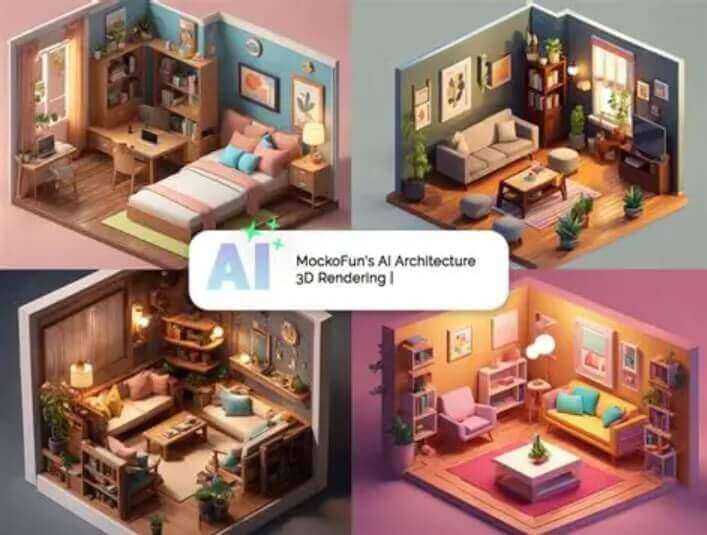
Free AI Room Design Generator Online

Upload a photo of your room * 0 / 1

Drag & drop the room photo here

or browse files — one clear room photo • JPG, PNG, WEBP • max 10MB

No image? Try one of these:

Choose design style Modern
Custom prompt (optional)
Choose image size 1:1 1024x1024

By using this tool you agree to our Terms of Service and Privacy Policy.

Result

AI Room Design Generator
AI room design generator example result

Your redesigned room will appear here

Upload a room photo on the left, pick a design style and a size, then click Generate Room Design.

Don't Miss Out! These Free AI Tools Are Amazing

What is an AI Room Design Generator?

An AI room design generator is an online tool that redesigns a photo of your room into a new interior — same walls and windows, brand-new furniture, colors and lighting.

It redesigns the room, not the layout

An AI room design generator keeps the real structure of your room — walls, windows, doors and proportions — and rebuilds the furniture, materials, flooring, colors and lighting so the result looks like your own space after a professional makeover.

What you upload

One photo is all it takes: a sharp, well-lit shot of your bedroom, living room, kitchen, bathroom or home office taken straight at the room rather than with a fisheye lens.

What you choose

Pick one of 32 design styles — Modern, Scandinavian, Japandi, Loft, Wabi-Sabi and more — add your own details in the custom prompt, and select an output size that fits where you will use the image.

What you get in seconds

A photorealistic interior redesign generated online in 10–60 seconds. Preview the result, try another style and download it free — no watermark, no account and nothing to install.

Why Choose Our Free AI Room Design Generator

One free AI room design generator in your browser — redesign any room photo, compare interior styles and download the result at zero cost.

Realistic room makeover

Our AI room design generator rebuilds furniture, materials, flooring and lighting with realistic perspective and shadows, so the result looks like a real interior photo rather than a flat render.

Your actual layout kept

Walls, windows, doors and room proportions stay exactly where they are. Only the interior design changes, so you can judge the idea for your own space.

32 ready-made design styles

From Modern, Scandinavian and Japandi to Loft / Industrial, Art Deco, Blacktec, Coastal / Hamptons, Wabi-Sabi and Retro — one click gives a completely different room.

Describe your own design

Add your own details in the custom prompt, for example "white walls, light wooden floor, large windows with lots of natural light", and the AI follows your instructions on top of the chosen style.

Free, no sign-up, no watermark

Use this free AI room design generator without an account, download clean results with no watermark, and get even more daily generations as a member or VIP.

Fast, secure & private

Room photos are compressed in your browser, uploaded securely and returned in 10–60 seconds on average — no design skills, no software and no waiting list.

How to Use the Free AI Room Design Generator

Redesign a room in four simple steps. No design skills, no software and no account needed — just upload your photo and preview a new interior.

  1. 1

    Upload your room photo

    Choose a sharp, well-lit photo of your bedroom, living room, kitchen, bathroom or home office taken straight at the room.

  2. 2

    Pick a design style

    Tap one of 32 interior styles — Modern, Scandinavian, Japandi, Loft / Industrial, Wabi-Sabi and more — to set the direction of the redesign.

  3. 3

    Choose a size & prompt

    Select the output size that matches your listing, presentation or social post, and add your own design details if you want more control.

  4. 4

    Generate & download free

    Click Generate Room Design, preview the AI interior and download it instantly with no watermark — then reuse the same photo for another style.

What You Can Do With the AI Room Design Generator

From testing one wall color to restyling a whole listing set, here is what people redesign rooms for.

Preview a room before you buy

See how new furniture, flooring or a wall color would look in your actual room before spending money on it.

Furnish empty property listings

Turn bare rooms into styled, furnished photos so buyers and renters can picture the space — no staging costs.

Compare styles side by side

Generate the same room in several styles and pick the direction that fits the space, your client or your budget.

Create client moodboards

Give clients realistic interior options in one meeting instead of waiting days for a render or a showroom visit.

Feed your interior content

Produce before-and-after posts and style comparisons for Instagram, Pinterest, TikTok and a design blog.

Plan a renovation

Test how a new layout, kitchen finish or bathroom style reads on your own photo before the work starts.

What Users Say About Our AI Room Design Generator

Homeowners, agents and interior designers use this free AI room design generator every day to test ideas on their own photos.

“I wanted to see how my living room would look before buying anything. The redesigned version kept my windows and layout exactly, so it actually looked like my own space.”
ER Emily R. Homeowner
“Empty rooms sell badly. I run listing photos through the AI room design generator and now every property has a furnished, styled preview without hiring a stager.”
DK Daniel K. Real-estate agent
“The style presets are a fast way to show clients two or three directions in one meeting. Japandi and Wabi-Sabi are surprisingly close to real renders.”
SM Sofia M. Interior designer
“Free, no sign-up and no watermark. I redesign the same room photo in five styles for owner presentations and it takes a few minutes.”
LT Liam T. Property manager
“I place my own furniture photos in different interiors to test what fits a catalog. The lighting and perspective match looks natural, not pasted on.”
NB Noah B. Furniture shop owner
“We compared three kitchen layouts before spending on the renovation. Seeing the style on our actual photo made the decision much easier.”
PN Priya N. Home renovation planner

Frequently Asked Questions(FAQ)

Answers to the most common questions about our free online AI room design generator.

What is a free AI room design generator?

A free AI room design generator is an online tool that redesigns a photo of your room into a new interior. Upload a photo of your bedroom, living room, kitchen or bathroom, choose a design style, and the AI rebuilds the furniture, colors, materials and lighting while keeping the real layout of the room.

How does the AI room design generator work?

Upload a room photo and pick a style. The AI analyses the walls, windows, doors, flooring and perspective of your room, then renders a brand-new interior that keeps that same layout, so the result looks like your actual room after a professional makeover.

Will the AI change the layout or the size of my room?

No. The AI is designed to keep the real layout, walls, windows, doors and proportions unchanged, and only redesigns the furniture, colors, materials, flooring, lighting and decor.

Which design styles are available?

You can pick from 32 styles including Modern, Cozy, Minimal, Scandinavian, Japandi, Luxury, British, Contemporary, Neoclassic, Loft / Industrial, Art Deco, Blacktec, Bohemian, Biophilic, Rustic, Coastal / Hamptons, Mid-Century Modern, Mediterranean, Wabi-Sabi, Tropical, Bauhaus, Zen and Retro.

Can I describe my own design idea?

Yes. Type your own details in the custom prompt box, for example "white walls, light wooden floor, large windows with lots of natural light". Your custom text is added to the chosen style so the AI follows your instructions.

Do I need to choose an output size?

You can. Eight sizes are available, from square 1:1 to 16:9, 9:16, 4:3, 3:4, 3:2 and 2:3, so the result fits your listing, presentation or social post.

Is the AI room design generator free? Do I need to sign up?

Yes, it is free and you can redesign a room without an account and download the result without a watermark. A free member account increases your daily generations, and VIP adds unlimited daily use and more advanced AI models. Payments are handled securely by third-party providers, with no hidden fees.

Which image formats and sizes are supported?

You can upload JPG, PNG or WEBP room photos up to 10MB. For the best result, use a sharp, well-lit photo taken straight at the room rather than a fisheye or heavily cropped shot.

How long does a room redesign take?

Most room designs finish in 10 to 60 seconds depending on image size and queue load. Keep the page open while the result is being generated.

Can I use the room designs commercially?

You may use results for personal and commercial projects such as real-estate listings, interior design proposals, moodboards and social posts, provided you own the rights to the uploaded images and your use complies with our Terms of Service.