Free AI Product Mockup Generator Online

Upload your product photo * 0 / 1

Drag & drop your product photo here

or browse files — one clear product photo • JPG, PNG, WEBP • max 10MB

No product photo? Try one of these:

Choose a scene style White Background
Custom scene prompt (optional)
Choose image size 1:1 1024x1024

By using this tool you agree to our Terms of Service and Privacy Policy.

Result

AI Product Mockup Generator
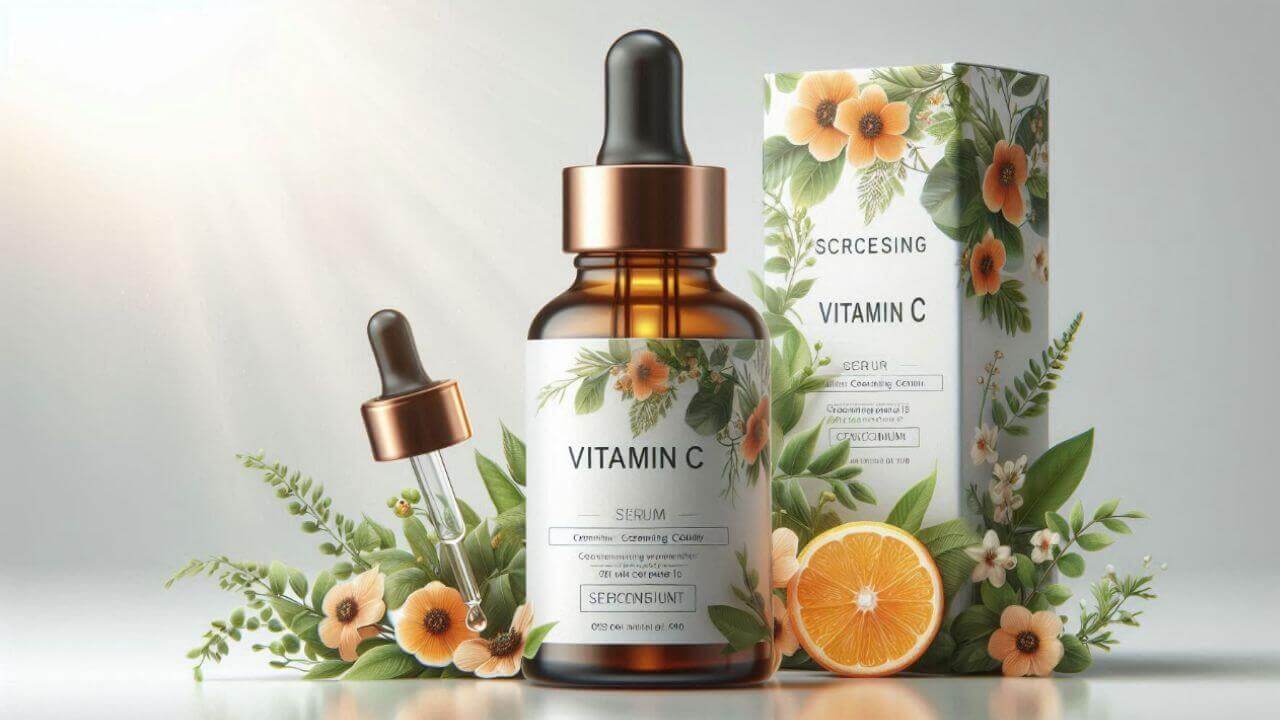
AI product mockup generator example result

Your product mockup will appear here

Upload a product photo on the left, pick a scene style and a size, then click Generate Mockup.

Don't Miss Out! These Free AI Tools Are Amazing

What is an AI Product Mockup Generator?

An AI product mockup generator is an online tool that turns an ordinary product photo into a professional studio shot — no photographer, no studio and no Photoshop.

It rebuilds the scene, not the product

An AI product mockup generator analyses your product photo and then renders a new background, lighting, shadow and reflection around it. The product itself keeps its exact shape, proportions, colors, materials, logos and text, so the result still shows the real item you sell.

What you upload

One photo is all it takes: a clear, well-lit shot of your product, whether it is a flat-lay, a supplier photo, a phone snapshot or an existing listing image.

What you choose

Pick one of ten ready-made scenes — white background, lifestyle, studio, outdoor, minimalist, luxury, tech, food, fashion or e-commerce ready — or describe your own scene in the custom prompt box.

What you get in seconds

A photorealistic product mockup generated online in 10–60 seconds, at the size and aspect ratio you need. Preview it, try another scene on the same photo and download it free — no watermark, no account and nothing to install.

Why Choose Our Free AI Product Mockup Generator

One free AI product mockup generator in your browser — turn any product photo into a studio-grade mockup and download it at zero cost.

Studio-grade lighting & shadows

Our AI product mockup generator rebuilds realistic lighting, soft shadows and reflections around your product, so the result looks like it came from a professional product shoot.

Your product stays pixel-perfect

Shape, proportions, colors, materials, labels and text are kept exactly as they are. Only the scene around the product changes, so buyers still see the real item.

Ten ready-made pro scenes

White background, lifestyle, studio lighting, outdoor natural, minimalist, luxury, tech, food, fashion and e-commerce ready — one click each, tuned for different categories.

Describe your own scene

Not seeing the mood you want? Type your own scene description in the custom prompt box and it replaces the preset scene, from marble podiums to window-lit tables.

Free, no sign-up, no watermark

Use this free AI product mockup generator without an account, download clean results with no watermark, and get even more daily generations as a member or VIP.

Fast, secure & private

Photos are compressed in your browser, uploaded securely and returned in 10–60 seconds on average — no design skills or software needed.

How to Use the Free AI Product Mockup Generator

Create a product mockup in four simple steps. No editing skills, no design software and no account needed — just upload and preview your new scene.

  1. 1

    Upload your product photo

    Choose a clear, well-lit photo of your product — a flat-lay, a supplier image or a phone shot all work well.

  2. 2

    Pick a scene style

    Tap one of ten pro scenes, or type your own scene description in the custom prompt box to override the selected scene.

  3. 3

    Choose a size & prompt

    Select the output size that matches your listing, banner or story, and fine-tune the scene with a short description if you want.

  4. 4

    Generate & download free

    Click Generate Mockup, preview the AI studio shot and download it instantly with no watermark — then reuse the same photo for another scene.

What You Can Do With the AI Product Mockup Generator

From cleaning up a single listing photo to rebranding a whole catalog, here is what people create product mockups for.

Build a consistent store catalog

Run supplier photos and phone snapshots through the same scene so every listing on your store looks like it came from one photoshoot.

Create ad and banner visuals

Generate 16:9 banner crops for campaigns, paid ads and marketplace A+ content without booking a studio or a photographer.

Fill your social calendar

Produce square 1:1 and vertical 9:16 product shots for Instagram, TikTok and Pinterest from a single original photo.

Test scene directions fast

Compare a white background shot against a luxury or lifestyle scene in minutes and see which one sells the product better.

Rescue weak supplier images

Turn a flat, badly lit supplier photo into an E-commerce Ready mockup that matches the rest of your catalog.

Ship a launch in one afternoon

Prepare hero images, thumbnails and story crops for a new product drop — no design software and no watermark.

What Users Say About Our AI Product Mockup Generator

Sellers, photographers and store owners use this free AI product mockup generator every day to turn plain product photos into studio shots.

“I replaced a whole afternoon of product photography with this tool. The white background scene is clean enough for our store listings and the product itself stays untouched.”
ER Emily R. E-commerce seller
“I use it to test scene directions before a real shoot. The studio lighting and luxury scenes match my lighting setup surprisingly well.”
DK Daniel K. Product photographer
“My flat product photos now look like they were shot on a set. The lifestyle scene with warm tones made my handmade candles sell better.”
SM Sofia M. Etsy shop owner
“We needed banner-ready product images in 16:9 for a campaign. Ten mockups in under an hour, no watermark and no design software involved.”
LT Liam T. Marketing manager
“Supplier photos look terrible on my store. I run them through the E-commerce Ready scene and they finally look consistent across the catalog.”
NB Noah B. Dropshipping entrepreneur
“I do not have a studio, so this saved me. I type a scene description in my own words and the result looks exactly like the mood I had in mind.”
PN Priya N. Small business owner

Frequently Asked Questions(FAQ)

Answers to the most common questions about our free online AI product mockup generator.

What is a free AI product mockup generator?

A free AI product mockup generator is an online tool that turns an ordinary product photo into a studio-grade mockup. Upload one photo, pick a scene, and the AI rebuilds the lighting, shadows, reflections and background around your product — no photographer, no studio and no Photoshop.

How does the AI product mockup generator work?

Upload a product photo, choose one of the ten preset scenes or write your own scene description, pick an output size and click Generate Mockup. The AI analyses your product, keeps its shape, colors, texture and label, then renders a new background and lighting around it in 10 to 60 seconds.

Will the AI change my product, its shape, colors or label?

No. The AI keeps the product itself exactly the same — same shape, proportions, colors, materials, logos and text. Only the background, lighting, shadows and reflections are rebuilt, so the result still shows your real product.

Which product scenes are available?

Ten ready-made scenes: White Background, Lifestyle Setting, Studio Lighting, Outdoor Natural, Minimalist Display, Luxury Setting, Tech Product, Food Photography, Fashion Display and E-commerce Ready. Each one is tuned for a different marketplace, category or brand mood.

Can I describe my own mockup scene?

Yes. Type any idea into the custom prompt box — for example "the product on a white marble podium with soft window light and a green plant" — and it replaces the selected scene. Clear the box and the preset scene is used again.

Do I need to choose an output size?

No, but you can. Eight sizes are available, including 1:1 square for Instagram and marketplaces, 16:9 for banners and slides, 9:16 for stories and 4:3 or 3:4 for classic product shots. The result is generated at the size you select.

Is the AI product mockup generator free? Do I need to sign up?

Yes, it is free and you can create product mockups without an account and download the result without a watermark. A free member account increases your daily generations, and VIP adds unlimited daily use, more advanced AI models and every exclusive feature. Payments are handled securely by third-party providers, with no hidden fees.

Which image formats and sizes are supported?

You can upload JPG, PNG or WEBP product photos up to 10MB. Photos are compressed in your browser before upload, and results can be generated in eight sizes from 512x512 up to 1024x1024 and 1024x640.

How long does a product mockup take to generate?

Most mockups finish in 10 to 60 seconds depending on image size and queue load. Keep the page open while the result is being generated.

Can I use the mockups commercially and on marketplaces?

You may use results for personal and commercial product listings, ads, lookbooks and social posts, provided you own the rights to the uploaded images and your use complies with our Terms of Service.