Free AI Passport Photo Maker Online

Upload your photo 0 / 1

Drag & drop your photo here

or browse files — JPG, PNG, WEBP • max 10MB

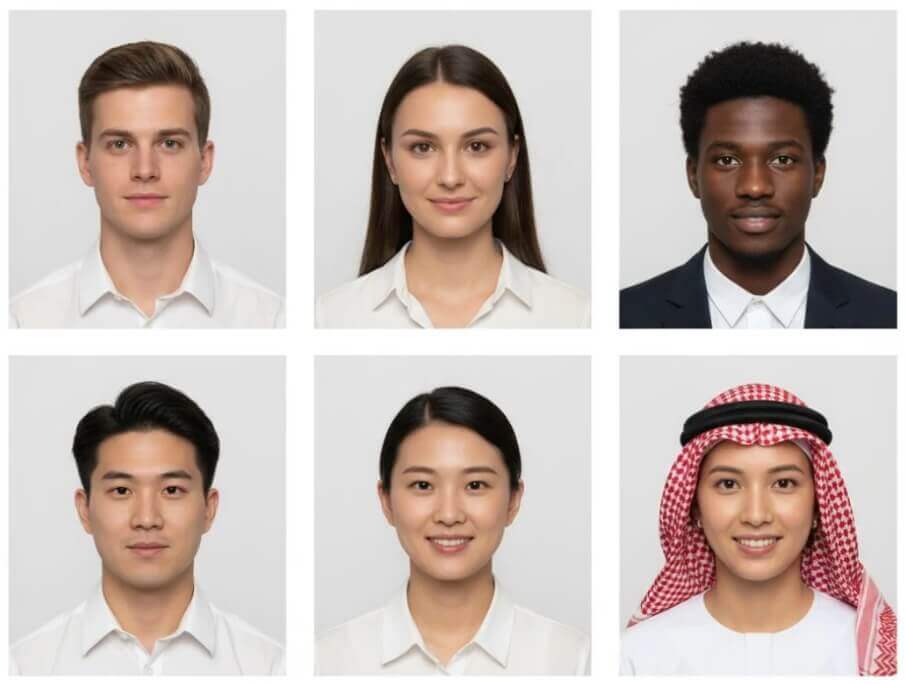
No image? Try one of these:

Choose document type Passport
Choose country
Required photo specs

Size

51 × 51 mm

Head

25–35 mm · 49–69%

Background

plain white

Custom parameters

Override size, background and head height to fit your own requirements

Swap clothes

Off = keep your original outfit · On = change into a formal suit

By using this tool you agree to our Terms of Service and Privacy Policy.

Result

AI Passport Photo Maker
AI passport photo maker example result

Your passport photo will appear here

Upload a photo on the left, choose a document type and country, then click Generate Passport Photo.

Don't Miss Out! These Free AI Tools Are Amazing

What is an AI Passport Photo Maker?

An AI passport photo maker turns an ordinary photo into an official passport, visa or ID photo — correct size, standard background and proper head framing, without a studio.

It builds a compliant ID photo, not a portrait

The AI analyses your photo, locates the face and rebuilds the image to the official specification of the document you choose — exact millimetre size, head height, background colour and neutral expression.

What you upload

One clear photo of yourself is enough. A phone selfie taken in even light works well, as long as you face the camera, keep a neutral expression and your hair does not cover your eyes or ears.

What the AI changes

It removes the original background and replaces it with the required colour, cropped cleanly around the hair with no halos, then frames and crops the photo to the official aspect ratio. Your facial identity stays the same.

What you get in seconds

A print-ready photo in 10–60 seconds, shown with its document type, country and millimetre size. Download it free with no watermark and no account, then start over for another document.

Why Choose Our Free AI Passport Photo Maker

One free AI passport photo maker in your browser — official specs for 30+ countries, automatic background replacement and a print-ready download at zero cost.

Official specs for 30+ countries

Choose your document type and country and the tool applies the published size, head-height ratio and background colour — no measuring and no guesswork.

Automatic background replacement

The original background is removed and rebuilt in pure white, light grey or light blue, with clean hair edges, no halos and no residual shadows.

Perfect framing and cropping

The AI centres the head, keeps both ears visible and crops the result to the exact aspect ratio of the selected document, so it prints at the right millimetre size.

Custom size and background colour

Need something different? Set your own width and height in millimetres, choose any hex background colour and adjust the head height to your issuer requirements.

Optional formal suit

Leave the swap clothes option on and the AI dresses you in a plain dark suit jacket and white shirt — or turn it off to keep your own outfit.

Free, no sign-up, no watermark

Create as many passport, visa and ID photos as you need without an account, and download clean files with no watermark and no hidden fees.

How to Make a Passport Photo with AI

Make an official photo in four simple steps. No editing skills, no design software and no account needed — just upload and download.

  1. 1

    Upload your photo

    Choose a clear, front-facing photo taken in even light. A phone selfie works — keep a neutral expression and make sure your whole head is visible.

  2. 2

    Pick document & country

    Select passport, visa, ID card, EU Schengen visa, green card or citizenship, then choose the country whose official specs you need.

  3. 3

    Fine-tune the specs

    Check the size, head height and background shown for your document. Turn on custom parameters if you need a different size in millimetres or another background colour.

  4. 4

    Generate & download free

    Click Generate Passport Photo, review the cropped result and download it instantly with no watermark — ready to print or upload to the official portal.

What You Can Do With the AI Passport Photo Maker

From a single selfie to a whole set of official documents, here is what people use the AI passport photo maker for.

Renew a passport at home

Create a correctly sized passport photo the night before your appointment instead of hunting for a photo booth.

Prepare visa applications

Match the exact size, head height and background colour requested by the embassy or consulate for your visa.

Make ID and badge photos

Produce ID card, staff badge and student card photos with a consistent standard background for every person.

Switch between country specs

Change the country selection to get the different millimetre sizes and background colours each authority requires.

Meet custom requirements

Set a size in millimetres and any background colour when an application asks for something outside the presets.

Print or upload instantly

Download the cropped result in high quality, then print it at the right size or upload it straight to an online portal.

What Users Say About Our AI Passport Photo Maker

Travellers, visa applicants and small businesses use this free AI passport photo maker every day to produce compliant photos in minutes.

“I needed a US passport photo the night before my appointment. I uploaded a selfie, picked Passport and United States, and had a correctly sized photo with a pure white background in under a minute.”
ER Emily R. Frequent traveller
“We take ID photos for new employees in-house now. The country presets give us the right size and background every time, and the files are clean with no watermark.”
DK Daniel K. HR manager
“The Schengen preset saved me. My first photo was rejected for a grey background, and this tool rebuilt it in the exact light grey the consulate wanted.”
SM Sofia M. Visa applicant
“Free, no sign-up and no watermark. I made passport, visa and student ID photos from the same selfie in a few minutes.”
LT Liam T. Student
“The custom parameters are the best part. I can set the exact millimetre size and background colour a client asks for instead of fighting with a crop tool.”
NB Noah B. Photographer
“I prepare ID photos for my whole team. Choosing the document type and country takes seconds and the head framing is consistent across everyone.”
PN Priya N. Small business owner

Frequently Asked Questions(FAQ)

Answers to the most common questions about our free online AI passport photo maker.

What is a free AI passport photo maker?

A free AI passport photo maker is an online tool that turns an ordinary selfie or casual photo into an official passport, visa or ID photo. It crops the image, frames the head, replaces the background with the required colour and delivers a photo in the exact millimetre size your document needs — without a studio visit.

How does the AI passport photo maker work?

Upload one clear photo, choose the document type and country, then click Generate Passport Photo. The AI detects the face, adjusts the framing and lighting, removes the original background and rebuilds it in the official colour, and finally crops the result to the correct aspect ratio.

Which document types and countries are supported?

Passport, visa, ID card, EU Schengen visa, US green card and Canadian citizenship photos are supported, with official specifications for more than 30 countries including the United States, United Kingdom, Canada, Australia, India, China, Japan, Germany, France, Brazil and the United Arab Emirates.

Do I need to upload a professional photo?

No. A casual selfie taken in good light works well. Face the camera straight on, keep a neutral expression, avoid heavy filters and make sure your hair does not cover your eyes or ears. The AI handles the framing, cropping and background for you.

Can I customise the photo size and background colour?

Yes. Turn on Custom parameters to override the official values: set the width and height in millimetres, pick a background colour (pure white, light grey, light blue, standard red or blue, or any hex colour you choose) and adjust the head height as a percentage of the photo.

Will the AI change my face or expression?

No. The AI keeps your facial identity, features and hairstyle exactly as they are. It only corrects the framing, lighting, background and, if you leave the swap clothes option on, replaces your outfit with a plain formal suit.

Is the AI passport photo maker free? Do I need to sign up?

Yes, it is free and you can create passport photos without an account and download them without a watermark. A free member account increases your daily generations, and VIP adds unlimited daily use, more advanced AI models and every exclusive feature.

Which image formats and sizes are supported?

You can upload JPG, PNG or WEBP images up to 10MB. Photos are compressed in your browser before upload, so phone photos work fine. The output is automatically cropped to the official aspect ratio of the document and country you selected.

How long does it take to make a passport photo?

Most passport photos are ready in 10 to 60 seconds depending on image size and queue load. Keep the page open while the AI is working, then preview the result and download it.

Are the generated photos accepted by official authorities?

The AI follows the published size, head-height and background rules for each document, but acceptance is always decided by the issuing authority. Always check the latest requirements of the embassy, passport office or ID issuer before submitting your photo.