
What Is an AI Model Generator?
It is a text-to-image tool tuned for fashion imagery. You describe the model and the scene, and the AI model generator produces a photorealistic person in that setting, with believable skin texture, hair, fabric and lighting. The output is campaign-style imagery you can use for lookbooks, product pages, moodboards and social posts.
The value is creative speed. Testing five different model looks used to take five days of coordination; now it takes five minutes of writing. Brands use it to plan a shoot before booking anything, marketplace sellers use it for lifestyle imagery, and designers use it to explore how a collection should be presented before the samples even arrive.
Core Features of the AI Model Generator
Describe and Generate
Write the look you need in plain language and get a matching photorealistic model image.
Diverse Model Descriptions
Vary age, build, hair and skin tone to reflect the customers you actually serve.
Studio or Location Scenes
Set a seamless studio backdrop, a street corner or an interior scene with consistent lighting.
Style and Mood Control
Ask for editorial, minimal, high-key or warm golden-hour looks to match your brand direction.
Rapid Concept Testing
Generate several directions in minutes, compare them, and only then commit to a full production.
Free, No Watermark
Every generated model image is free and watermark-free, ready for commercial use in your own marketing.
How to Generate a Fashion Model (Step by Step)
Start with a clear picture of the campaign you want:
- Open the generator. Go to the AI model generator page.
- Describe the model. Include age range, hair, build and styling details.
- Describe the scene. Add the setting, light and mood, such as minimal white studio with soft side light.
- Generate several options. Run the prompt a few times and choose the strongest result.
- Download and refine. Save the image, then adjust one detail at a time if you want a variation.
Pro Tips for Better AI Fashion Models
Prompt quality decides how usable the result is:
- Be concrete, not poetic. late twenties, short dark bob, freckles and a beige trench coat beats a stylish modern look.
- Describe the light. Soft window light, hard flash and golden hour each give a completely different mood.
- Keep framing in mind. Ask for a full-body, three-quarter or close-up shot depending on where the image will be used.
- Stay consistent across a set. Keep the model description identical and change only the styling or scene.
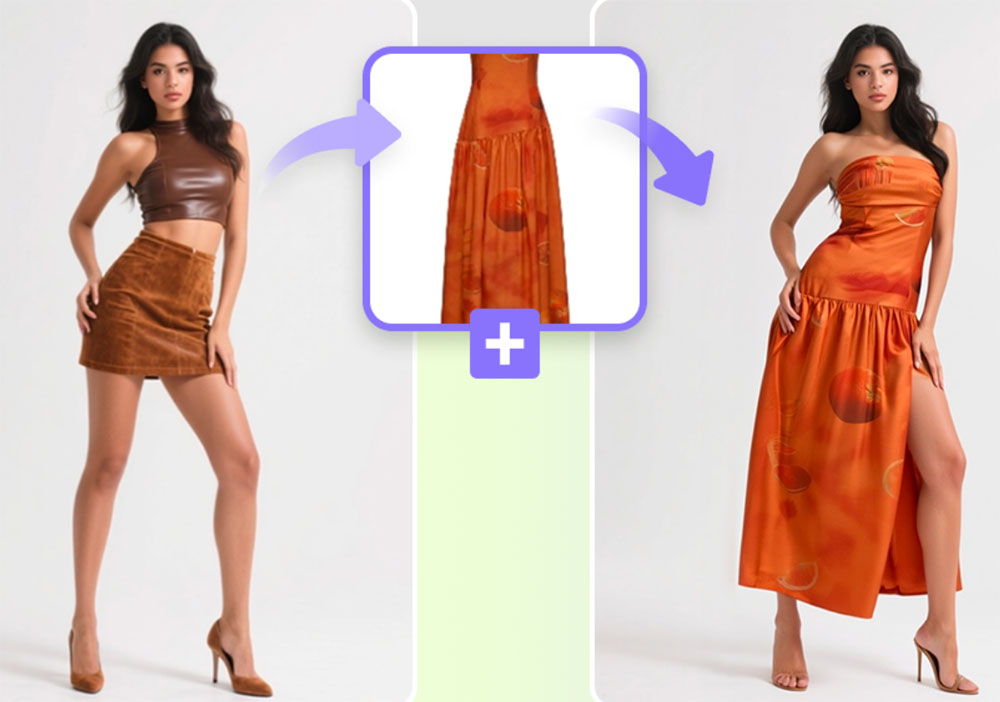
- Dress the model with a garment tool. Use try-on or clothes to model to place your real product on the generated figure.
Ready to put real products on your generated model? The AI fashion model generator starts from the garment, and the AI virtual model generator turns clothing photos into model shots. Read the virtual model guide to compare workflows.
Frequently Asked Questions (FAQ)
Is the AI model generator free?
Yes. It is free to use on AIDoImg with no watermark and no account required.
How do I write a description that works?
Describe the person and the scene in concrete terms, such as a woman in her late twenties with short dark hair, wearing a beige trench coat, standing in a bright studio. Specific details produce more controlled results.
Can I create models of different ages and body types?
Yes. Age, build, hair, skin tone and styling can all be described, which helps you represent a broader range of customers.
Are the generated people real?
No. The people are AI-generated and do not depict real individuals, so there are no model releases or likeness issues for the generated faces themselves.
Can I combine this with my own garment photos?
Yes. Many workflows generate the model and scene first, then use a garment try-on or clothes to model tool to dress the figure in your actual product.
Can I use the images commercially?
You can use generated images in your own shop, ads and social content. You remain responsible for the products and claims shown alongside them.
